

POD Go 1.40 (released July 19, 2022) includes a new Line 6 original amp, 9 new effects, 18 additional Legacy effects, and bug fixes, and is recommended for all POD Go and POD Go Wireless users.
How do I update to 1.40?
Connect POD Go to your computer via USB and launch POD Go Edit. The software will walk you through the entire procedure, including backing everything up to your computer and updating both POD Go Edit and your POD Go firmware. If you're running an older version of POD Go Edit, you must update it before updating your POD Go hardware.
I updated but why don't I see [Model X]?
POD Go Edit can't magically see new models added to your POD Go hardware; you must update POD Go Edit as well (which you would've done had you followed "How do I update to 1.40?" above). Here's a link to POD Go Edit 1.40:
My POD Go is at version 1.XX. Can I go straight to 1.40?
Yes.
Anything else I should know?
Yes. We STRONGLY recommend performing a factory reset AFTER UPDATING your POD Go firmware to 1.40 and THEN RESTORING YOUR BACKUP. (Backing up is part of the update process). Here's how to perform a factory reset. IMPORTANT: MAKE SURE YOU HAVE A BACKUP FIRST, AS A FACTORY RESET WILL ERASE ALL YOUR WORK!
-
While holding footswitches C and D (top row, 2 middle switches), turn on POD Go. Wait for "Will reset Globals, Presets, IRs..." to appear in the upper left corner of the display and let go.
New Amp in 1.40
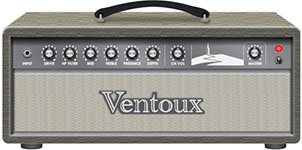
Amp/Preamp > [data-colorid=h05f1985pr]{color:#c0392b} html[data-color-mode=dark] [data-colorid=h05f1985pr]{color:#d44d3f}[data-colorid=cqet98f1vu]{color:#c0392b} html[data-color-mode=dark] [data-colorid=cqet98f1vu]{color:#d44d3f}[data-colorid=jsn21d1mcn]{color:#e74c3c} html[data-color-mode=dark] [data-colorid=jsn21d1mcn]{color:#c32818}Line 6 Ventoux, Line 6 Original.
"The amp model name is Ventoux, which is a mountain in the south of France that is a legendary cycling climb. I did it in 2018 and it was awesome and very hard.
This model comes from a physical amp idea I had a while back. I was going to build it as a tube amp first. There are only so many hours in a day, though. The idea was to create a coveted boutique amp that had a different origin story. Most coveted boutique amps come from modified black panel Fenders or modified Marshall circuits. I wanted to do the same thing, but base it on the early 70s Orange circuits and the mid-wattage Fender Tweed circuits.
Ventoux has a unique topology. In an indirect way, every knob is kind of a gain/drive control. The tone controls adjust the character and/or amount of the overdrive in those frequencies. This might be seen as complicated by some, but I find it exciting and full of possibilities."
Ben Adrian, Sound Design Manager
-
DriveControls the amount of amp drive
-
HP FilterHigher values result in tighter distortions and thinner cleans; lower values result in looser distortions and warmer cleans
-
MidAllows for more character than most. At lower values it's like the scooped sounds of traditional 60s Fender amps; at higher values it's flatter, like the 50s tweed amps that have very little tone-shaping in the circuits. Plus, a full-up mid sound will get a nice crunch when Drive is up
-
Presence/DepthYou may have noticed this amp was lacking regular bass and treble controls. That is accounted for with Depth and Presence controls; bass and treble for the power amp. These actually occur in the circuit just before phase inverter, but they really need the whole power amp to function. They also affect the character of the power amp distortion
-
Ch VolSets the overall level of the Amp block
-
MasterVentoux's Master volume exists in an "impossible" place for a physical amp. Generally, you'll want to leave this at 10.0, like a vintage amp with no master volume. However, a variety of textures can be had by reducing the level
New Effects in 1.40
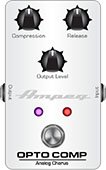
Dynamics > Ampeg Opto Comp, based on* the Ampeg Opto Comp compressor pedal.
-
CompressControls how much level the compressor detector circuit receives. More level = more compression. (Ampeg Opto Comp has a fixed threshold and ratio)
-
ReleaseControls how long it takes for the compressor to stop reducing gain. At 0.0, the release is 75 ms; at 10.0, the release is around 600 ms
-
Mix Controls the wet/dry mix of the compressor. When set to 0%, no compressed signal is heard; when set to 100%, no dry signal is heard
-
LevelSets the overall level of the block
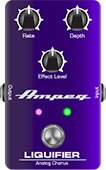
Modulation > Ampeg Liquifier, based on* the Ampeg Liquifier chorus pedal.
-
RateAdjusts the speed of the chorus low-frequency oscillator (LFO) from slow to fast
-
DepthAdjusts the amplitude of the modulation, from mild to deep
-
Mix Controls the wet/dry mix of the chorus. When set to 0%, no chorus is heard; when set to 100%, no dry signal is heard
-
LevelSets the overall level of the block
-
HeadroomSome mod pedals' internal signal paths exhibit a bit of grit, especially when placed after a high-gain amp block. Negative values increase the perceived amount of grit; positive values clean things up a bit. At 0dB, the model behaves like the original pedal
-
TypeLiquifier is actually two choruses in one, hence the "Dual" default. If you'd prefer it to behave more like a traditional chorus pedal, choose "Single"
-
SpreadSets the overall stereo spread of the chorus
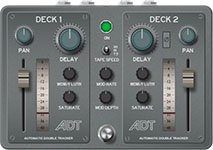
Delay > ADT, Line 6 Original double-tracking tape emulation.
-
Delay 1, Delay 2Sets the delay time for each deck. Delay 1 can go up to 20ms and Delay 2 can go up to 200ms
-
WowFlutr1, WowFlutr2 Determines how much warbly tape sound is heard for each deck
-
Saturate1, Saturate2 Adds analog tape saturation and at high enough settings, distortion. At lower settings, it's great for simply warming up a tone
-
Deck 1 Vol, Deck 2 VolSets the level of each deck independently. Deck 2 is a bit lower than Deck 1 by default
-
Deck 2 PolFlips the polarity of deck 2
-
Mod RateControls the rate or speed of modulation applied to Deck 2
-
Mod DepthControls the depth or amount of modulation applied to Deck 2
-
LevelSets the overall level of the block
-
TapeSpeed Changes both the rate of the modulation applied by the WowFluttr control and the filtering response of the analog tape emulation
-
Texture Adjusts the amount of the NAB tape EQ in the simulated tape path. When Saturation is set to 0.0, the texture is invisible. When Saturation is turned up, the texture will affect the tightness (or looseness) of the distortion
-
Low Cut Applies a low cut (high pass) filter to the decks, letting you remove the effected signal below a certain frequency
-
High Cut Applies a high cut (low pass) filter to the decks, letting you remove the effected signal above a certain frequency
-
Deck 1 Pan, Deck 2 PanPans each deck left and right
-
EnvThreshSets the level above which engages the envelope. When on, picking harder can impart very slight pitch fluctuations by tweaking Deck 2's delay. Subtle, but fun
-
TrailsWhen set to "Off," delay repeats are instantly muted when the block is bypassed. When set to "On," delay repeats continue to decay naturally when the block is bypassed or a different snapshot is selected
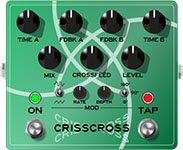
Delay > Crisscross, Line 6 Original dual delay with cross-feedback between the two delay lines.
-
Time A, Time BSets the delay time for each of the two delay lines. Press the knob to toggle between ms/Sec and note values
-
Feedbk A, Feedback B Controls the number of repeats for each delay line. To hear only one repeat, set to 0%
-
Pan A, Pan BTo achieve the widest stereo field, set Pan A to L100 and Pan B to R100
-
Mix Controls the wet/dry mix of the delay. When set to 0%, no delay is heard; when set to 100%, no dry signal is heard
-
LevelSets the overall level of the block
-
CrossfeedControls the amount of the A delay line fed back into the B delay line and vice versa
-
HeadroomSome delay pedals' internal signal paths exhibit a bit of grit, especially when placed after a high-gain amp block. Negative values increase the perceived amount of grit; positive values clean things up a bit.
-
Mod RateControls the rate or speed of modulation
-
Mod DepthControls the depth or amount of modulation
-
ShapeSets the modulation's wave shape (Sine or Triangle)
-
PhaseDetermines the modulation's phase relationship between the two delay lines. At 0°, the delay lines modulate together; at 180°, modulation is inverted from one another
-
Bit DepthLowers the bit depth of the delay repeats for a grungier sound. For more transparent results, set to "24 bits"
-
Sample RateLowers the sample rate of the delay repeats for a grungier sound. For more transparent results, set to "48kHz"
-
Low Cut Applies a low cut (high pass) filter to the repeats, letting you remove the effected signal below a certain frequency
-
High Cut Applies a high cut (low pass) filter to the repeats, letting you remove the effected signal above a certain frequency
-
TrailsWhen set to "Off," delay repeats are instantly muted when the block is bypassed. When set to "On," delay repeats continue to decay naturally when the block is bypassed or a different snapshot is selected
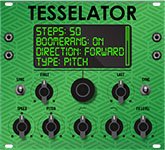
Delay > Tesselator, Line 6 Original. Tesselator is part morphing delay, part loop sampler, part drone machine... it's stellar for creating rhythmic pads, textures, or pitch/filter ramp effects to play over and has been placed in the Delay category so you can run multiple instances at once. Once audio is captured and repeating, you can effectively transition/morph between two statesFirst and Last, each with its own time, speed/pitch, HP filter, and LP filterby applying increasing amounts to each repeat until the target settings are reached.
-
Assign Tesselator to a stomp footswitch. It's bypassed by default.
-
Play a chord and while it's ringing, press the Tesselator switch. Audio captured BEFORE the switch press is repeated and manipulated by the following parameters:
-
FirstDetermines the length of the first step in the sequence, that is, the length of repeated audio when first engaged. Press the knob to toggle between ms and note values
-
LastDetermines the length of the last step in the sequence. If shorter than the First step's time, the sequence will get shorter; if longer than the First step's time, the sequence will get longer. If First and Last are the same time, the sequence length remains constant (Ex. 1 below). Press the knob to toggle between ms and note values
-
StepsDetermines how many steps there are in the sequence (1 ~ 50). For example, if your first step is 100ms and your last step is 500ms, each successive step in the sequence will lengthen from 100ms to 500ms. The more steps you have, the longer it takes to reach the last step and therefore, the longer it takes to alter the sequence's characteristics
-
DirectionDetermines the direction of the steps: Forward: Each step plays back normally (Ex. 2a below) Reverse: Each step plays back in reverse (Ex. 2b below) Fwd/Rev: Steps alternate between forward and reverse (Ex. 2c below)
-
BoomerangWhen off, the last step in the sequence repeats indefinitely. When on, all steps play forward, then backward, then forward again, etc. (Ex. 3a below)
-
OperationDetermines what happens to your signal when Tesselator is turned on (remember, it's bypassed by default) "Mute All"—When Tesselator is on, THE ENTIRE PATH IS MUTED "Dry Kill"—When Tesselator is on, only the effected signal is heard "Normal" (default)—When Tesselator is on, both the dry and effected signals are heard
-
RampDetermines whether any speed/pitch changes across the sequence reference a static or semitone value "Speed" (default)—Sets the target speed of the last step. Use the Speed parameter to set the specific value (0% ~ 200% speed) "Pitch"—Sets the target pitch of the last step. Use the Pitch parameter to set the value (-12 ~ +12 semitones; see Ex. 3c below)
-
SpeedSets the target speed for the last step. For example, if set to "200%," the last step's pitch will be twice as high as the first step and if set to "0%," the last step will appear to stop completely, almost like a glitchy tape stop effect. Disabled unless Ramp is set to "Speed"
-
PitchSets the target pitch for the last step. For example, if set to "-12", the last step will be an octave lower than the first step. Disabled unless Ramp is set to "Pitch" (see Ex. 3c below)
-
HP FilterVery different from POD Gos traditional Low Cut and High Cut filters. Sets the high-pass (low cut) filter target for the last step. For example, if set to a higher value, each successive step will filter out more bass until the last step of the sequence
-
LP FilterVery different from POD Go's traditional Low Cut and High Cut filters. Sets the low-pass (high cut) filter target for the last step. For example, if set to a lower value, each successive step will filter out more treble until the last step of the sequence ( Ex. 3b below)
-
FX LevelControls the level of the effected signal
-
LevelControls the overall output level of the block
Woohoo! More charts and diagrams!
Tesselator is capable of hundreds of unique sounds, and it's impossible to illustrate them all, but here are a few examples:
Example 1: If Knob 1 (First) and Knob 2 (Last) are set to the same value (say, 1/4 note), the same length of audio repeats until Tesselator is bypassed. In this case, it acts very much like Delay > Ratchet, except the audio is captured BEFORE the stomp press, not after.
Example 2: If Knob 2 (Last) is set to a shorter time than Knob 1 (First), steps in the sequence progressively get shorter (Ex. 2a). If Last is set to a longer time than First, steps in the sequence progressively get longer. The last step is repeated indefinitely until Tesselator is bypassed. Setting Direction to "Reverse" (Ex. 2b) reverses all steps; setting Direction to "Fwd/Rev" (Ex. 2c) alternates between forward and reversed steps.
Example 3: Turning Boomerang to "On" plays the entire step sequence forward, then backward, then forward again, etc. (Ex. 3a) Decreasing LP Filter to a lower value progressively darkens each step in the sequence (Ex. 3b). Increasing HP Filter to a higher value progressively thins out each step in the sequence. Setting Ramp to "Pitch" and Pitch to a value other than "0" will change the pitch of each step until it lands on the target pitch at the last step. For example, if Pitch is set to "+5" and you play an E note, the last note in the sequence will be an A, or 5 steps higher (Ex. 3c). If you want the last A note to repeat indefinitely instead of stepping back down to E, turn Boomerang back to "Off."
TIP: You can change all of these parameters while Tesselator is... tessellating, to create evolving, engaging soundscapes. Run it into Pitch > Dual Pitch and Reverb > Shimmer and prepare to waste hours in drone land.

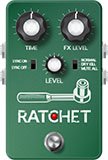
Delay > Ratchet, Line 6 Original buffer sampler/delay. Used to capture and loop a short snippet of audio (whose length is determined by the Time parameter) while the block is enabled. Great for rhythmic stutter effects. You could almost consider Ratchet a simplified version of Tesselator, where the audio is captured AFTER the footswitch press, not before.
-
Assign Ratchet to a stomp footswitch. It's bypassed by default.
-
While playing, press the Ratchet switch. Audio captured AFTER the switch press is repeated for as long as the block is enabled.
-
TimePredetermines the length of the audio to be recorded and looped. To loop an entire 4/4 bar, choose "1/1"; to stutter your playing, start with "1/16" or "1/32"
-
FX LevelControls the level of the looped audio
-
LevelControls the overall output level of the block
-
OperationDetermines what happens to your signal when Ratchet is turned on (remember, it's bypassed by default) "Mute All"—When Ratchet is on, THE ENTIRE PATH IS MUTED "Dry Kill"—When Ratchet is on, only the effected signal is heard "Normal" (default)—When Ratchet is on, both the dry and effected signals are heard
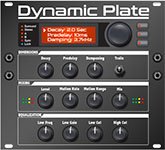
Reverb > Dynamic Plate, Line 6 Original plate reverb typically found in high-end studio rack reverbs.
-
DecaySets the decay of the reverb (0.1 sec ~ 45.0 sec, or Infinity)
-
PredelayDetermines the amount of delay heard before the signal enters the plate. Can sometimes result in more definition between the dry and effected signals
-
DampingDetermines the frequency above which the reverb will be absorbed. For example, if your hall is full of people wearing fake ocelot jumpsuits, more high frequencies would be absorbed than if the room were empty
-
Mot RateMotion Rate, or how fast the echoes' intensity changes, due to changes in plate tension or temperature
-
MotRangeMotion Range, or how much the internal delays change. Similar to the modulation control on older tank reverbs
-
Mix Controls the wet/dry mix of the reverb. When set to 0%, no reverb is heard; when set to 100%, no dry signal is heard
-
Low FreqSets the frequency below which the Low Gain parameter is applied
-
Low GainSets the reverb time for frequencies below the Low Freq value. Values below 0.0dB mean the bass frequencies decay faster than the treble frequencies; values above 0.0dB mean the bass frequencies decay slower than the treble frequencies
-
Low Cut Applies a low cut (or high pass) filter to the reverb, letting you remove the effected signal below a certain frequency
-
High Cut Applies a high cut (or low pass) filter to the reverb, letting you remove the effected signal above a certain frequency
-
LevelControls the overall output level of the block
-
TrailsWhen set to "Off," the reverb decay is instantly muted when the block is bypassed. When set to "On," the reverb continues to decay naturally when the block is bypassed or a different snapshot is selected
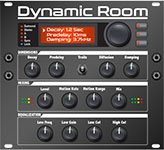
Reverb > Dynamic Room, Line 6 Original room reverb typically found in high-end studio rack reverbs.
-
DecaySets the decay of the reverb (0.1 sec ~ 3.0 sec)
-
PredelayDetermines the amount of delay heard before the signal enters the room. Can sometimes result in more definition between the dry and effected signals
-
DampingDetermines the frequency above which the reverb will be absorbed. For example, if your room is full of people wearing foam high school mascot costumes, more high frequencies would be absorbed than if the room were empty
-
DiffusionSets the amount of smearing between discrete echoes, sometimes resulting in a softer effected signal
-
Mot RateMotion Rate, or how quickly the room's shape may be changing, due to people moving, doors opening or closing, etc.
-
Mix Controls the wet/dry mix of the reverb. When set to 0%, no reverb is heard; when set to 100%, no dry signal is heard
-
Low FreqSets the frequency below which the Low Gain parameter is applied
-
Low GainSets the reverb time for frequencies below the Low Freq value. Values below 0.0dB mean the bass frequencies decay faster than the treble frequencies; values above 0.0dB mean the bass frequencies decay slower than the treble frequencies
-
Low Cut Applies a low cut (or high pass) filter to the reverb, letting you remove the effected signal below a certain frequency
-
High Cut Applies a high cut (or low pass) filter to the reverb, letting you remove the effected signal above a certain frequency
-
EarlyReflcSets the amount of early reflective room sound
-
LevelControls the overall output level of the block
-
TrailsWhen set to "Off," the reverb decay is instantly muted when the block is bypassed. When set to "On," the reverb continues to decay naturally when the block is bypassed or a different snapshot is selected
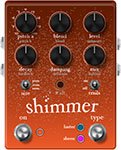
Reverb > Shimmer, Line 6 Original shimmer reverb. We originally planned to release Shimmer as two distinctly different reverbsLuster and Sheenbut combining them into a single model and letting you seamlessly switch back and forth via a footswitch or snapshots seemed cooler.
-
TypeDetermines the type of shimmer effect applied. TIP: Assign Type to a footswitch (or snapshots) to try both within the same preset "Luster"—More of a traditional, reverb pedal-type shimmer effect with tighter definition in the lustery bits "Sheen" (default)—More of a lush, studio plugin-type shimmer effect with a massive, sheeny bloom
-
Pitch ASets the interval of the first pitchshifter. Set to "Oct Up" for more traditional shimmer sounds; set to "Oct Down" for something a bit creepier. Note that Pitch A and Pitch B have 0.1 semitone resolution between -1and +1
-
Pitch BSets the interval of the second pitchshifter
-
IntensityControls the mix between the pitchshifted and non-pitchshifted reverb
-
FeedbackControls the number of times the pitchshifting recirculates through the reverb
-
Mix Controls the wet/dry mix of the reverb. When set to 0%, no reverb is heard; when set to 100%, no dry signal is heard
-
Pitch BlendControls how much of Pitch 1 is heard vs. Pitch 2 (set to "Even" by default)
-
DecaySets the decay of the reverb (0.1 sec ~ 45.0 sec or Infinity)
-
PredelayDetermines the amount of delay heard before the signal enters the room. Can sometimes result in more definition between the dry and effected signals
-
Room Size Sets the size of the room (10, 20, or 30 meters)
-
DampingDetermines the frequency above which the reverb will be absorbed
-
DiffusionSets the amount of smearing between discrete echoes, sometimes resulting in a softer effected signal
-
MotionSets the amount of randomization, which can be helpful to minimize any metallic artifacts common in static reverbs. At higher values, can impart a bit of modulation to the effected signal
-
Low Cut Applies a low cut (or high pass) filter to the reverb, letting you remove the effected signal below a certain frequency
-
High Cut Applies a high cut (or low pass) filter to the reverb, letting you remove the effected signal above a certain frequency
-
LevelControls the overall output level of the block
-
TrailsWhen set to "Off," the reverb decay is instantly muted when the block is bypassed. When set to "On," the reverb continues to decay naturally when the block is bypassed or a different snapshot is selected
*NOTE: All product names used in this document are trademarks of their respective owners and neither Yamaha Guitar Group nor Line 6 are associated or affiliated with them. These trademarks appear solely to identify products whose tones and sounds were studied by Line 6 during sound model development.
18 additional effects—most from the FX Junkie model pack for POD Farm 2.5—have been added. Don't sleep on these!
-
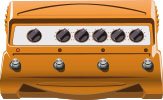
Distortion > Bronze Master, based on* the Maestro® Bass Brassmaster. Originally designed for bass, but equally cool on guitar, the Maestro® Bass Brassmaster is considered by many to be the Holy Grail of bass distortion units, an ultra-rare bird designed in the early 70s for Maestro® by synth genius Tom Oberheim. NOTE: The Blend parameter is not like overall distortion Mix; instead, it sets how much of the filtered signal passes through the clipping/octave circuitry
-
Distortion > Killer Z, based on* the BOSS® Metal Zone MT-2. Equipped with a dual gain circuit, the MT-2 provides amazing sustain plus heavy mids and lows similar to a stack of overdriven amps. Weve simplified the EQ controls a bit to make the Killer Z model, but youll still find the sought after flavor of the MT-2 style sound
-
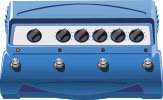
Modulation > Tape Eater, Line 6 Original. If youve ever had a cassette player eat a tape before youll know what were talking about. Try this with a slow speed setting and a 100% wet mix
-
Modulation > Warble-Matic, Line 6 Original. This effect is reminiscent of the Sweeper model, but when used subtly it can produce a nice mild phasey sound or with Depth maxed out you can simulate the sound of an alien spacecraft landing in one of those old 50s sci-fi movies
-
Modulation > Random S&H, Line 6 Original. This has a similar effect as the old Oberheim® Voltage Controlled Filter. It creates changes in tone by randomly emphasizing certain frequencies. Try pressing the Speed knob to lock it to tempo and playing single chords to that tempo
-
Modulation > Sweeper, Line 6 Original. Imagine having 2 wah pedals on steroids separated in a stereo field that are pulsating in opposite positions and youre close to what youll hear here. Use the Q and Freq parameters to set the character of the sweep and adjust Depth to go from subtle to full on freak out. Any resemblance to guitar tracks heard in a particular genre of B films is strictly coincidental
-
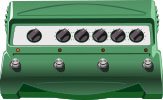
Delay > Bubble Echo, Line 6 Original. Bubble Echo has a sample-and-hold filter on the repeats. It takes a filter sweep (like the one on Sweep Echo), chops it up into little bits, and rearranges them semi-randomly, so that it sounds like sudden little bits of wah pedal randomly sprinkled about
-
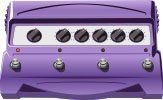
Delay > Phaze Eko, Line 6 Original. Starting with the basic tone of our EP-1 tape delay emulation, theyve added something very much like a Uni-Vibe to the delay repeats. The result is an echo unit that gives you unique new creative possibilities for adjusting the tone of your delays with a beautiful, burbling texture
-
Pitch/Synth > Buzz Wave, Line 6 Original. These are cool combinations of saw and square waves with fast vibrato. The 8 different Wave parameters offer different vibrato speeds and different pitches
-
Pitch/Synth > Rez Synth, Line 6 Original. These are all sweeping low pass filter effects with the resonance set high. Resonance is a peak at the frequency of the low pass filter
-
Pitch/Synth > Seismik Synth, Line 6 Original. This effect has an oscillator that tracks the pitch of your guitar. You can choose between 8 different wave shapes which give you different flavorsall of them one or two octaves down from the original pitch
-
Pitch/Synth > Analog Synth, Line 6 Original. These are great for funky synth guitar (or bass) lines. These sounds were made popular by Moog and ARP
-
Pitch/Synth > Synth Lead, Line 6 Original. These are styled after popular analog monophonic synth lead sounds from Moog, ARP and Sequential Circuits
-
Pitch/Synth > String Theory, Line 6 Original. This emulates classic synth string sounds like those found in the ARP Solina String Ensemble and the Elka® Synthex. The harder you pick, the brighter the sound. We somehow had two separate effects called "Synth String"one from POD Farm 2.5 and the other from FM4, which was already added to POD Go. Renamed the POD Farm version "String Theory" to avoid confusion
-
Pitch/Synth > Synth FX, Line 6 Original. These sounds arent really designed to be musical. These are more special effects sounds. Youll hear a lot of these kinds of sounds in movie soundtracks
-
Pitch/Synth > Saturn 5 Ring Mod, Line 6 Original. Ring modulators take two signals (one supplied by your guitar, the other supplied by the effect) then adds and subtracts similar frequencies. Electro-Harmonix® makes a ring modulator pedal called the Frequency Analyzer that is a popular guitar effect. The only limiting factor is that the pitch of the signal provided by the effect is constant. Meaning you have to play only in the key of that pitch to be musical
-
Pitch/Synth > Synth Harmony, Line 6 Original. If you loved those big synth leads from 70s era prog bands then youll love this effect. There are two synth waves at work here. Your first two parameters allow you to choose a pitch interval of your original note played. The Wave parameter works differently from what youd expect with the other synth models; here it controls the gain of the saw wave, while the square wave gain remains constant
-
Pitch/Synth > Double Bass, Line 6 Original. This effect has two oscillators that track the pitch of your guitarone square wave tuned one octave down, and one saw tooth wave two octaves down
Bug Fixes in 1.40
-
The dirty preset indicator (box with "E") would not appear when changing tempo if set to per preset or per snapshotFIXED
-
When toggling stomp assignments with custom names, sometimes a graphical corruption can occurFIXED
-
If Modulation > Analog Chorus > Speed parameter is set to note divisions, the text can exhibit graphical issues when saving the preset
-
POD Go Wireless: In some cases, the Auto Channel setting could select a less-than-optimal channel, resulting in poor wireless performanceFIXED
-
POD Go Edit: After copying and pasting an Input or Output block, clicking Undo can result in a Failed to undo edit buffer: [code -4] messageFIXED
-
POD Go Edit: If an IR with 54 characters or less is copied and pasted and renamed with 55 or more characters, POD Go Edit can crashFIXED
-
POD Go Edit: Delay > Glitch and Delay > Euclidean would sometimes reflect different ranges between POD Go Edit and the hardwareFIXED
-
Other minor fixes and improvements