
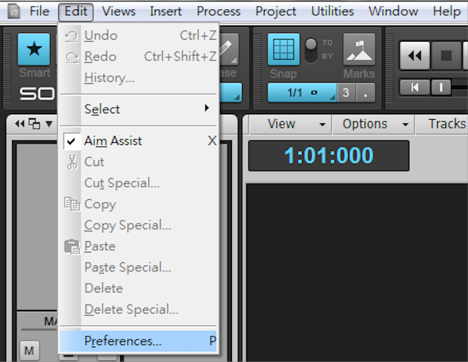
10 Launch Sonar, go to 'Edit -> Preferences -> File -> VST Settings'
2) Make sure the correct location is added to the VST Scan Paths. The Location of plug-ins files depend on your setting during installation.
The default location is
64 bits - C:\Program Files\VstPlugins
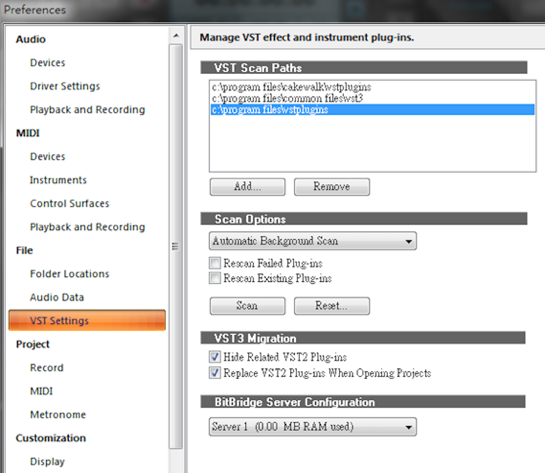
3) If the steps above are not working, try the scan button in the Scan options to re-scan the target folders.